Getting to the finder
Getting to the Duplicate Object Storage Finder
This is how you can get this feature:
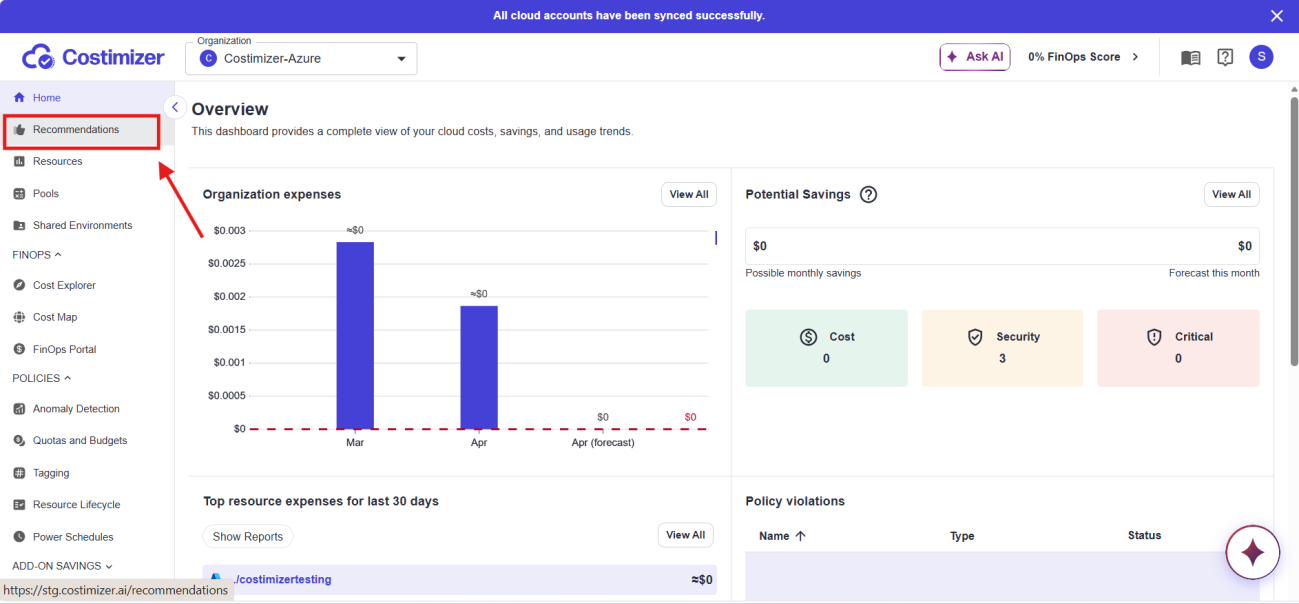
Step 1: Go to Recommendations
Open Recommendations from the main menu.
Step 2: Click the shortcut link
On the Recommendations page, look for the Go to object storage duplicate finder link. It appears as a shortcut at the top right of the Recommendations page, just below the Force check button.
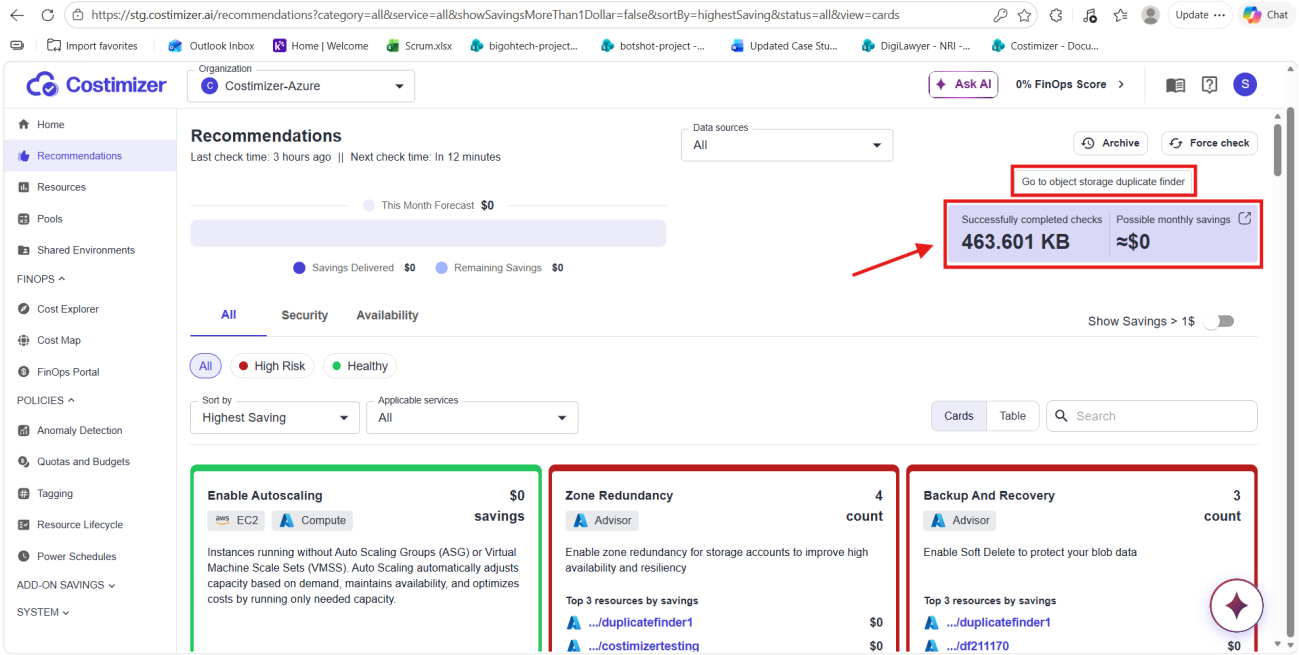
Click the link. You land directly on the Duplicate Object Storage Finder page.
Next step
Continue to Using the page and check history to learn about the main page elements and how to read past scan results.